How to Set Up Web Hosting for Your Website
When it comes to launching a website, one of the most important decisions you’ll need to make is choosing the right web hosting provider. Your web hosting service is essentially the foundation of your website, so it’s vital to choose a reliable and efficient provider to ensure your website runs smoothly.
1. Determine Your Hosting Needs
Before you begin the process of setting up web hosting for your website, you’ll need to determine your hosting needs. Consider factors such as the size of your website, the amount of traffic you expect to receive, and any specific features or resources your website may require. This will help you select a hosting plan that best suits your needs.
2. Choose a Web Hosting Provider
There are countless web hosting providers available, each offering different services and features. Take the time to research and compare various web hosting providers to find one that offers the services you need at a price point that fits your budget. Look for providers that offer reliable uptime, excellent customer support, and user-friendly control panels.
3. Select a Hosting Plan
Once you’ve chosen a web hosting provider, it’s time to select a hosting plan. Most providers offer a variety of hosting plans, ranging from shared hosting for small websites to dedicated hosting for larger, high-traffic websites. Consider your hosting needs and budget when selecting a plan, and be sure to inquire about any additional features or upgrades that may enhance your website’s performance.
4. Register Your Domain Name
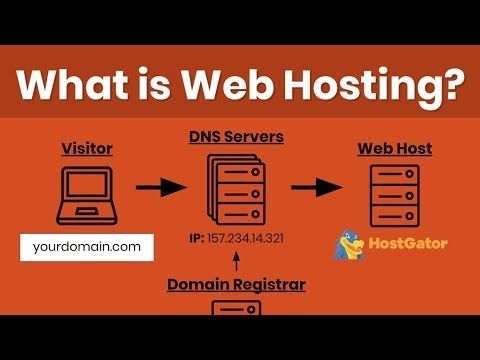
Before you can set up web hosting for your website, you’ll need to register a domain name. Your domain name is your website’s address on the internet, so choose a name that reflects your brand and is easy for visitors to remember. Most web hosting providers offer domain registration services, making it easy to register and manage your domain name alongside your hosting plan.
5. Set Up Your Hosting Account
Once you’ve selected a hosting plan and registered your domain name, it’s time to set up your hosting account. Your web hosting provider will provide you with login credentials and access to a control panel where you can manage your hosting account. Follow the provider’s instructions to set up your hosting account, including configuring your domain name and setting up any necessary email accounts or databases.
6. Upload Your Website Files
With your hosting account set up, you can now upload your website files to the server. Most web hosting providers offer FTP access or a file manager within the control panel to facilitate the file upload process. Be sure to organize your website files into the appropriate directories on the server and test your website to ensure everything is functioning correctly.
7. Configure Your Website Settings
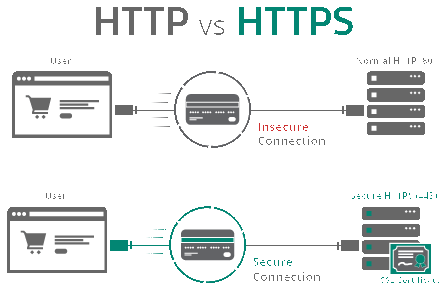
Before launching your website, take the time to configure your website settings within your hosting account. This may include setting up security measures such as SSL certificates, configuring email accounts, and optimizing your website for speed and performance. You may also want to install any necessary plugins or applications to enhance your website’s functionality.
8. Test Your Website
Before making your website live, it’s crucial to thoroughly test your website to ensure everything is working correctly. Test your website on different devices and browsers to ensure compatibility, check for broken links or missing images, and verify that all forms and interactive elements are functioning as intended. Make any necessary adjustments before officially launching your website to the public.
9. Monitor and Maintain Your Website
Once your website is live, it’s essential to monitor and maintain your website to ensure optimal performance. Regularly check your website for updates, security vulnerabilities, and performance issues. Back up your website regularly, and be proactive in addressing any issues or concerns that may arise. With proper care and maintenance, your website will continue to thrive and provide value to your visitors.
Setting up web hosting for your website may seem like a daunting task, but with careful planning and attention to detail, you can launch a successful website that meets your needs and exceeds your expectations. Choose a reliable web hosting provider, select a hosting plan that aligns with your needs, and follow these steps to set up web hosting for your website with confidence.