Website Migration Tutorial (No Downtime)
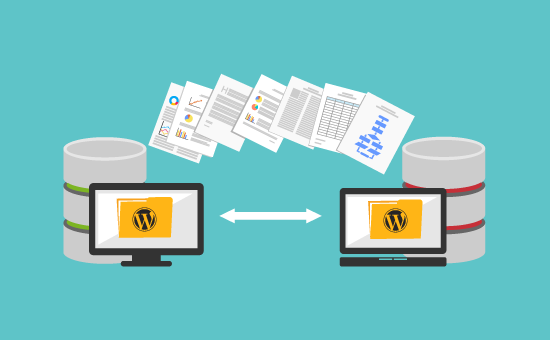
Moving a website from one hosting provider to another can be a daunting task, especially when you want to ensure that there is no downtime during the migration process. In this tutorial, we will guide you through the steps to successfully migrate your website without any interruptions to your online presence.
Step 1: Backup Your Website
Before you begin the migration process, it is crucial to create a backup of your website files and database. This will protect your data in case anything goes wrong during the migration. You can use a plugin like UpdraftPlus or BackupBuddy to easily backup your website.
Step 2: Set Up Your New Hosting Account
Choose a new hosting provider that meets your website’s requirements and sign up for a hosting plan. Once you have created your account, you will need to set up your domain on the new hosting server. This process may vary depending on your hosting provider, so follow their instructions carefully.
Step 3: Transfer Your Website Files
Now it’s time to transfer your website files from your old hosting provider to the new one. You can do this using an FTP client like FileZilla or through your hosting provider’s file manager. Make sure to transfer all files, including images, scripts, and any other media files.
Step 4: Export and Import Your Database
If your website is powered by a content management system like WordPress, you will also need to export and import your database. You can do this using phpMyAdmin or a database management tool provided by your hosting provider. Make sure to follow the instructions carefully to avoid any data loss.
Step 5: Update Your DNS Settings
Once you have transferred your website files and database, you will need to update your DNS settings to point to your new hosting server. This process may take some time to propagate, so be patient and check your website periodically to ensure that the migration was successful.
Step 6: Test Your Website
After updating your DNS settings, it is essential to test your website to ensure that everything is working correctly. Check for any broken links, missing images, or other issues that may have occurred during the migration process. If everything looks good, congratulations! Your website migration is complete.
Conclusion
Website migration can be a complex process, but with careful planning and execution, you can successfully move your website to a new hosting provider without any downtime. By following the steps outlined in this tutorial, you can ensure a smooth transition and maintain your online presence throughout the migration process.
Remember to always back up your website before starting the migration, and double-check all settings and configurations to avoid any potential issues. With the right tools and knowledge, you can migrate your website seamlessly and continue to provide your visitors with a seamless online experience.